
Key Components of a CRM System Explained
A CRM system is made up of several connected components that help organizations collect, organize, and use customer information. Understanding these components is important because CRM is not simply a digital address book. A modern CRM can bring together customer profiles, communication history, sales activities, service requests, reporting, automation, and other information that helps teams manage relationships more consistently.
When these components work together, employees can spend less time searching for information and more time understanding customer needs. A sales representative can see previous conversations, a service employee can review earlier support cases, and a manager can analyze relationship activity from a broader perspective. The exact features vary between CRM systems, but the underlying components tend to support the same goal: creating a more structured and useful view of customer relationships.
1. Customer and Contact Management
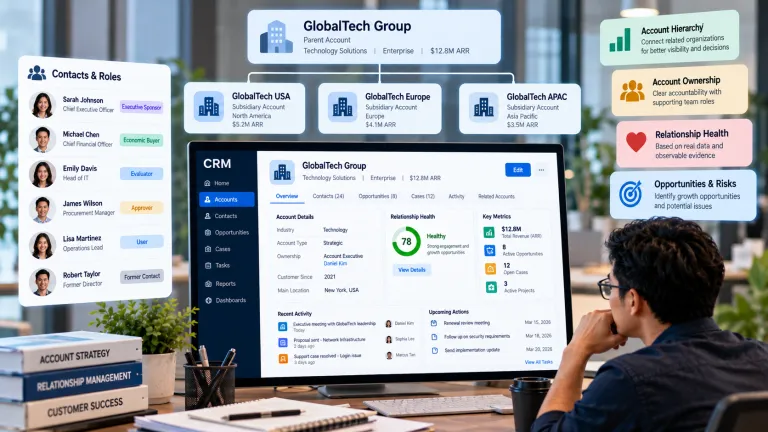
Customer and contact management is the foundation of most CRM systems. It provides a structured place to store information about customers, prospects, organizations, and other contacts. Depending on the system, records may include names, contact details, company information, preferences, account status, interaction history, and other relevant fields.
The purpose of this component is not simply to collect as much data as possible. Useful contact management depends on having accurate, relevant, and accessible information. When customer records are organized consistently, employees can find important details more quickly and avoid maintaining multiple disconnected versions of the same record. This creates a more dependable foundation for the other parts of the CRM.
For readers who are new to CRM, understanding this foundation is an important first step. You can learn more about the broader concept in this beginner’s guide to CRM, which explains how customer relationship management works and why organizations use it.
2. Interaction and Communication History
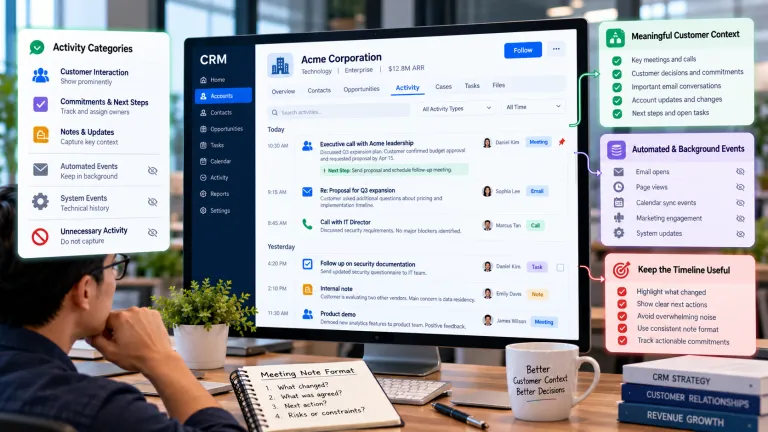
Customer relationships develop through repeated interactions, so CRM systems commonly include tools for recording communication history. Emails, calls, meetings, messages, support requests, and other activities can be connected to a customer record so employees can see what has already happened.
A shared interaction history becomes especially useful when several employees are involved in the same relationship. Instead of relying on personal notes or memory, an employee can review previous conversations and understand the context of the latest request. This can reduce repetition and make communication more consistent across departments.
For example, a customer who contacts a business through email and later speaks with a service employee by phone should not have to explain the same situation from the beginning. A connected interaction history gives the next employee a clearer picture of what happened previously and what still needs to be resolved.
3. Lead and Opportunity Management
Many CRM systems include lead and opportunity management for organizations that need to track potential customers. A lead may represent an initial prospect, while an opportunity usually refers to a more developed business possibility that is moving through a defined process.
CRM workflows can organize these records through stages such as new inquiry, qualification, proposal, negotiation, and completion. The specific stages vary, but the principle is similar: employees need a clear way to understand where each opportunity stands and what action may be needed next.
This helps reduce the uncertainty that can occur when potential customers are tracked through separate spreadsheets, emails, or individual notes. When opportunity information is organized consistently, teams can see which prospects need attention and managers can gain a clearer view of ongoing activity.
4. Sales Pipeline Management
Sales pipeline management gives organizations a visual or structured view of active opportunities. Rather than keeping each potential customer in a separate spreadsheet or personal note, teams can track opportunities within a common workflow.
A pipeline can help employees identify which opportunities are active, which require follow-up, and where prospects may be getting delayed. It can also give managers a broader view of current activity. However, a pipeline is only useful when stages are clearly defined and employees use them consistently.
The importance of having a structured pipeline is closely related to the broader value of CRM. As explained in why CRM matters for modern business, organized customer information can support better communication, coordination, and decision-making across different business activities.
5. Customer Service and Case Management
CRM is not limited to sales. Customer service and case management are important components for organizations that need to handle questions, complaints, technical issues, or support requests.
A case management function can record the customer’s issue, related communication, status, assigned employee, and previous actions. This helps service teams maintain continuity when a case moves between employees or departments. It can also make it easier to identify recurring problems and review how customer issues are being handled over time.
When service information is connected to the broader customer record, employees gain more context when responding to problems. This can be especially valuable when a customer has an existing history with the organization and the current issue is related to previous interactions.
6. Marketing and Customer Engagement
Some CRM systems include marketing capabilities that help organizations organize customer segments, campaigns, and engagement activities. Customer information can be used to understand audiences and support more relevant communications.
This component is useful when marketing activity needs to connect with broader customer relationships. Instead of treating marketing as a separate process, organizations can use CRM data to understand previous interactions and create more informed audience strategies. Careful data management is important because personalization is most useful when communications are relevant rather than excessive.
CRM-based marketing also benefits from understanding the difference between an individual interaction and the broader customer relationship. A single campaign response may provide useful information, but its value becomes greater when it can be viewed alongside previous engagement and customer history.
7. Reporting and Analytics
Reporting and analytics turn CRM data into information that can support decision-making. A CRM system may provide dashboards or reports covering sales activity, customer service performance, engagement, pipeline status, or other relationship-related measures.
Analytics can help managers identify patterns and areas that require attention. For example, a team may notice that certain cases remain unresolved for longer periods or that opportunities tend to slow down at a particular stage. These insights can support process improvements, but their value depends on the quality and completeness of the underlying data.
Good reporting therefore starts with good data. If customer records are incomplete, duplicated, or outdated, a visually attractive dashboard may still provide a misleading picture. CRM analytics should be treated as a reflection of the information stored in the system, not as an automatic guarantee of better decisions.
8. Workflow Automation
Workflow automation helps reduce repetitive tasks by triggering actions according to defined conditions. Examples may include reminders, notifications, assignments, record updates, or follow-up activities.
Traditional automation generally follows predefined rules. More advanced CRM environments may also use artificial intelligence to interpret information and support more context-aware actions. This is one area where CRM is increasingly connected with AI, especially when systems need to classify requests, summarize interactions, or recommend next steps.
This connection becomes clearer when looking at how AI is transforming CRM. Artificial intelligence can extend traditional CRM automation by helping systems interpret customer information rather than simply reacting to fixed rules.
9. Integration and Data Connectivity
Modern businesses rarely use one system for everything. They may have separate tools for email, websites, accounting, marketing, customer support, communication, or analytics. CRM integration helps connect relevant information between these systems.
Integration reduces the need to manually copy information from one application to another and can create a more consistent flow of customer data. However, integration should be designed carefully because poorly connected systems can introduce duplicate records, inconsistent information, or unnecessary complexity.
A connected CRM environment can also make customer information easier to access across departments. This matters because the customer relationship usually extends beyond a single team, and disconnected systems can create gaps in communication and context.
10. Security, Permissions, and Data Management
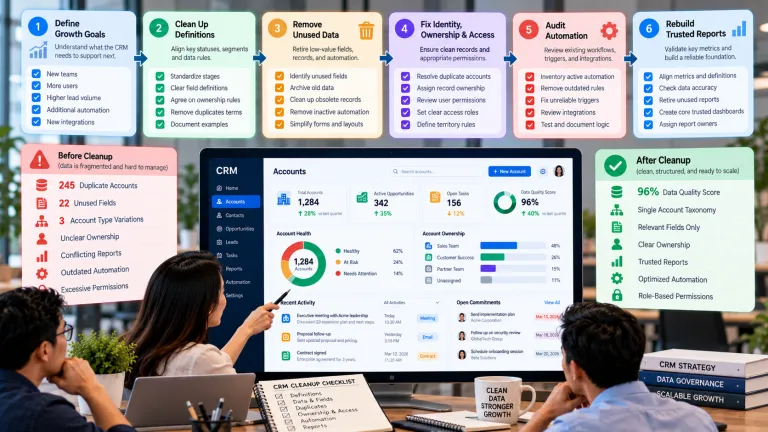
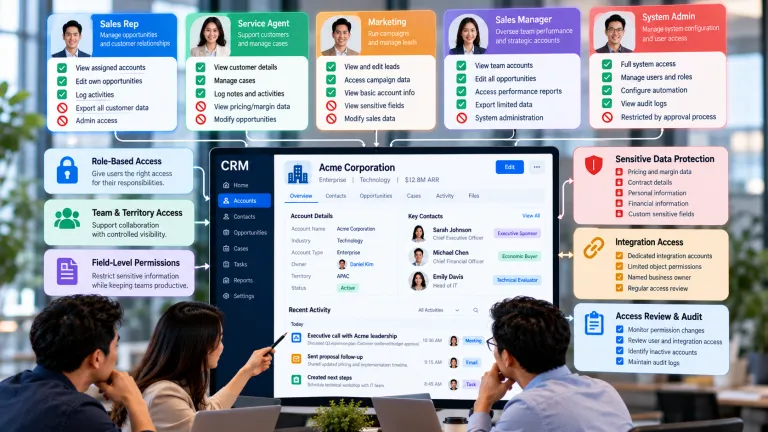
Because CRM systems often contain sensitive customer information, security and data management are essential components. Organizations need controls that determine who can access specific records, what actions users can perform, and how information is maintained.
Good data management also includes processes for correcting outdated information, resolving duplicates, and maintaining appropriate data quality. Security is not simply a technical feature; it is part of responsible customer relationship management.
Clear permissions can also reduce the risk of unnecessary access to customer information. Different employees may need different levels of visibility depending on their responsibilities, which makes access control an important part of a well-managed CRM environment.
How These CRM Components Work Together
The real value of a CRM system comes from how these components connect. A customer profile can contain communication history, sales opportunities, service cases, marketing activity, and other relationship information. Reporting can analyze activity across those records, while automation can trigger relevant tasks based on changes in the workflow.
Consider a customer who submits a support request after previously speaking with a sales representative. The service employee can review the customer’s profile and interaction history, understand the previous context, and access the current case. If the issue requires follow-up, the system can assign a task or notification. Managers can later review aggregated service information to identify broader patterns. Each component contributes to a connected customer journey.
This interconnected approach is one reason CRM matters beyond simple contact storage. Instead of managing isolated pieces of customer information, organizations can create a broader relationship record that supports communication, coordination, and informed action.
What Makes These Components Effective?
Having many CRM features does not automatically create a successful CRM environment. The system needs to reflect real business processes and provide information that employees can actually use.
Three factors are particularly important. First, data needs to be accurate and maintained consistently. Second, workflows should be simple enough for employees to follow without creating unnecessary administrative work. Third, employees need clear guidance and training so they understand how and why the CRM should be used.
A smaller organization may only need basic contact management, interaction history, and task tracking. A larger organization may require advanced analytics, integrations, automation, and more complex access controls. The right combination depends on the organization’s goals, processes, data environment, and customer needs.
Conclusion
The key components of a CRM system work together to create a structured environment for managing customer relationships. Customer and contact management provides the foundation, while interaction history, opportunity management, service cases, marketing, analytics, automation, integrations, and security expand what the system can support.
The most important point is that CRM components should not be viewed as isolated features. Their value increases when they work together to give employees better context, reduce unnecessary manual work, and support more informed decisions.
Understanding these components provides a useful foundation for learning how CRM works in practice and why it matters to modern organizations. As AI becomes more closely integrated with customer relationship management, some of these components are also becoming more intelligent, opening the door to new forms of automation, analysis, and customer support.