
How Does CRM Work? A Simple Step-by-Step Explanation
Customer Relationship Management (CRM) works by organizing customer information, interactions, activities, and processes within a structured system. Instead of keeping customer details across separate spreadsheets, emails, notes, and applications, a CRM system brings relevant information together so employees can understand relationships and manage customer-related activities more consistently. The way a CRM works can vary between organizations, but the underlying process usually follows a connected flow from collecting customer information to using that information for communication, service, analysis, and follow-up.
For someone new to CRM, it can be difficult to understand what happens inside the system after customer data is entered. CRM is not simply a database where information is stored and forgotten. It can connect customer records with interactions, workflows, sales activities, service requests, reporting, and other processes. Understanding how these elements work together makes it easier to see why CRM has become an important part of modern customer relationship management.
What Happens Inside a CRM System?
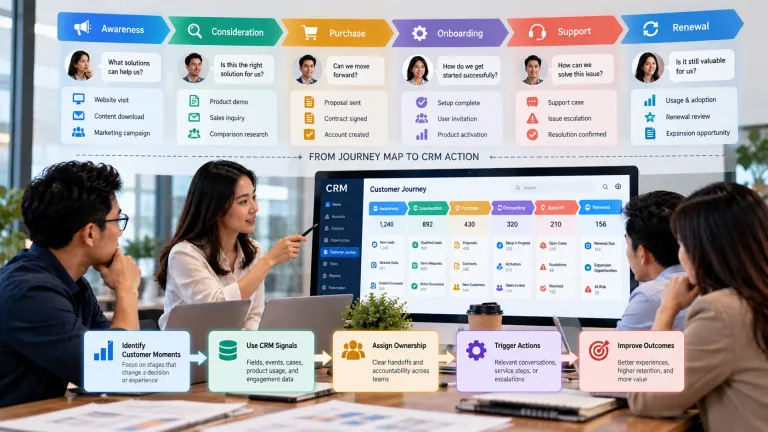
At a basic level, a CRM system follows a continuous cycle. Customer information is collected, organized, updated, and connected with interactions and business activities. Employees then use that information to manage relationships, respond to requests, follow up on opportunities, and make decisions based on available customer context.
This process can be thought of as a journey rather than a single action. A customer may first become known to an organization through a website form, conversation, purchase, or other interaction. The information can then become part of a customer record, followed by additional interactions, service activities, or sales processes. Over time, the CRM builds a broader history of the relationship.
To understand the process clearly, it helps to look at CRM step by step.
Step 1: Customer Information Enters the System
The CRM process usually begins when information about a customer or potential customer enters the system. This information can come from many sources, including website forms, emails, phone conversations, sales activities, customer service requests, events, or other business channels.
For example, a visitor may submit a contact form on a website. The organization may then create a CRM record containing the person’s name, contact information, company details, and other relevant information. Another customer may enter the system after making a purchase or contacting customer service.
The quality of this first step matters because later CRM activities depend on the information that enters the system. Accurate and relevant information provides a stronger foundation for future interactions. This is one reason understanding the key components of a CRM system is important when learning how CRM operates in practice.
Step 2: Customer Data Is Organized
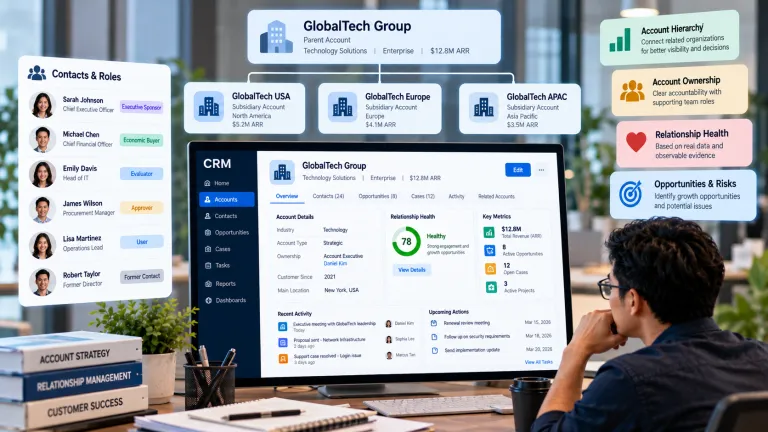
After information enters the system, it needs to be organized into structured customer records. The CRM may connect contact details with company information, communication history, purchase activity, service cases, preferences, and other relevant records.
Organization is important because a customer relationship rarely consists of one piece of information. A person’s name alone does not explain the relationship. Employees need context, and CRM creates that context by connecting different types of information to the same customer or organization.
Well-organized records also make it easier for different employees to access consistent information. Instead of maintaining separate notes or spreadsheets, authorized users can work from a shared customer history that reflects the information available in the CRM.
Step 3: Customer Interactions Are Recorded
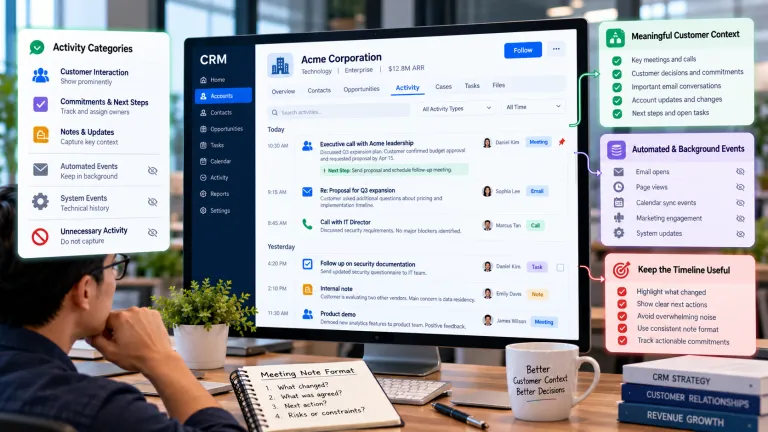
CRM becomes more useful as interactions are added to the customer record. Emails, phone calls, meetings, support requests, messages, and other activities may be recorded so employees can understand what has already happened.
Imagine that a customer first asks about a service through email and later contacts customer support about a related issue. If those interactions are disconnected, the second employee may have very little context. When interactions are connected through CRM, the employee can review the customer’s history and continue the conversation with a better understanding of the relationship.
This connected history can also help when responsibilities change between employees. A new employee does not necessarily have to start from the beginning because the available record can provide context about previous conversations and activities.
Step 4: The CRM Tracks Customer Activities
Once customer information and interactions are organized, CRM can be used to track ongoing activities. These activities depend on the organization’s processes and may include follow-up tasks, sales opportunities, service cases, scheduled meetings, or other actions.
For example, a potential customer may move through stages such as initial inquiry, qualification, proposal, and follow-up. A customer service request may move from new case to investigation, resolution, and completion. The CRM helps employees see what stage an activity has reached and what may need to happen next.
This structured approach is one reason CRM matters to modern organizations. As discussed in why CRM matters for modern business, customer relationships become harder to manage as interactions increase. A structured workflow can help reduce uncertainty and improve coordination.
Step 5: CRM Helps Employees Take Action
CRM is not only about recording what has already happened. It can also help employees decide what needs to happen next. Depending on the workflow, the system may provide reminders, assign tasks, display upcoming activities, or highlight records that require attention.
This can be particularly useful when employees are managing many customer relationships at the same time. Instead of relying entirely on memory, they can use the CRM to organize follow-ups and prioritize activities. The system becomes a working environment rather than simply a database of historical information.
For example, a sales representative may receive a reminder to contact a prospect after a proposal has been sent. A service employee may receive an assigned case that requires investigation. A manager may review a list of opportunities that have remained inactive for too long.
Step 6: Automation Handles Repetitive Tasks
Many CRM systems include automation that helps reduce repetitive administrative work. A system can trigger a reminder, update a record, send a notification, assign an activity, or move a workflow forward when specific conditions are met.
Traditional CRM automation usually follows predefined rules. For example, a new customer record might automatically create a follow-up task. These simple workflows can reduce manual work and improve consistency because employees do not have to perform every repetitive step themselves.
More advanced systems can also use artificial intelligence to interpret information and support more context-aware workflows. Our article on how AI is transforming CRM explains how artificial intelligence can extend CRM beyond basic information storage and rule-based processes.
Step 7: CRM Provides Reports and Insights
As customer information and activities accumulate, CRM can be used to generate reports and insights. Organizations may analyze sales activity, customer service cases, engagement, opportunity stages, or other relationship-related information.
The purpose of reporting is to help people understand what is happening across customer relationships. A manager may want to know where opportunities are slowing down, which service issues appear frequently, or how activity is changing over time. These insights can support decisions about processes, resources, communication, and customer experience.
However, reports are only as useful as the information behind them. Inaccurate, incomplete, or outdated customer records can reduce the reliability of the resulting analysis. CRM therefore works best when data quality is treated as an ongoing responsibility rather than a one-time setup task.
Step 8: Employees Use the Information to Improve Customer Relationships
The final purpose of the CRM process is to use organized customer information to improve the relationship. Employees can review context before communicating, respond to customer issues with better understanding, identify follow-up opportunities, and recognize patterns that may require attention.
This is where the individual CRM steps come together. Customer information enters the system, becomes organized, gains context through interactions, supports workflows, and eventually contributes to decisions and customer-facing actions. The value is created not by storing information alone, but by using that information in a meaningful way.
For example, an employee who understands a customer’s previous questions can provide a more relevant response. A service team that sees recurring issues can investigate whether a broader process needs improvement. A manager who identifies a pattern in customer activity can decide whether a workflow or communication strategy should change.
How CRM Works Across Different Teams
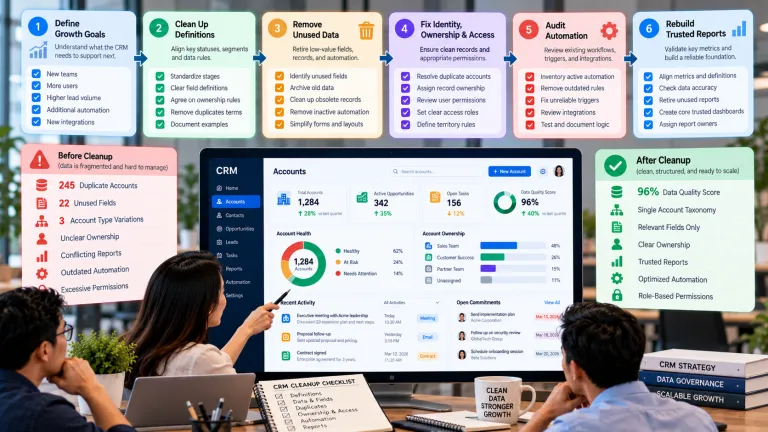
CRM does not have to follow exactly the same workflow in every department. Sales teams may focus on leads and opportunities, customer service teams may focus on cases and interactions, and marketing teams may focus on engagement and audience information. However, the underlying customer record can connect these activities.
This connection creates a more complete view of the customer relationship. Instead of treating each department as a separate environment, organizations can understand how activities contribute to the same customer journey.
The approach becomes especially useful when customers move between departments. A customer may begin with marketing content, continue into a sales conversation, and later require customer support. A connected CRM can help preserve context across those stages.
What Makes a CRM Workflow Effective?
A CRM workflow is most effective when it is simple, consistent, and aligned with the way employees actually work. A complicated system with unnecessary fields and steps can create more administrative work instead of reducing it.
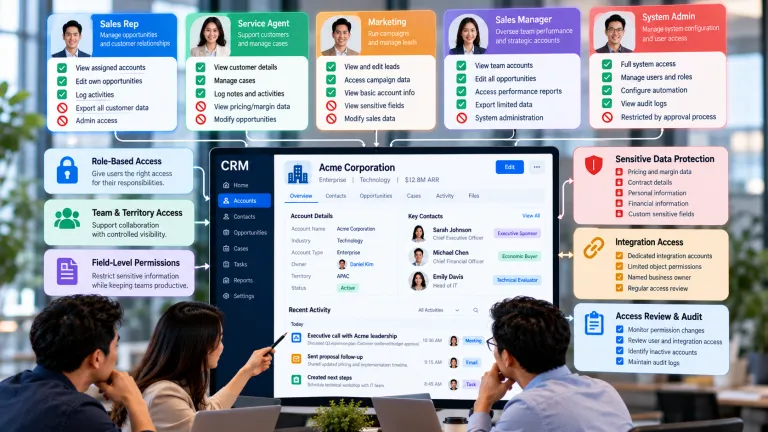
Organizations therefore need to decide what information is important, which activities should be tracked, when automation is appropriate, and who needs access to particular records. Employees also need clear processes and training so that the CRM reflects real customer activity rather than becoming a separate administrative burden.
The goal is not to record everything. The goal is to capture and organize the information that helps people understand relationships and take useful action.
Conclusion
CRM works by creating a connected process for collecting customer information, organizing records, tracking interactions, managing activities, automating repetitive work, generating insights, and supporting customer-facing decisions. Each step contributes to a broader understanding of the relationship rather than operating as an isolated task.
For beginners, the easiest way to understand CRM is to think of it as a continuous cycle: information enters the system, context is added through interactions, workflows guide activities, and employees use the resulting information to manage customer relationships more effectively.
As CRM continues to evolve, artificial intelligence, automation, analytics, and other digital technologies are adding new capabilities to this process. Understanding how CRM works at a fundamental level makes it easier to understand these newer developments and how they can influence the future of customer relationship management.