AI Summarization in CRM: Making Customer Histories Easier to Understand
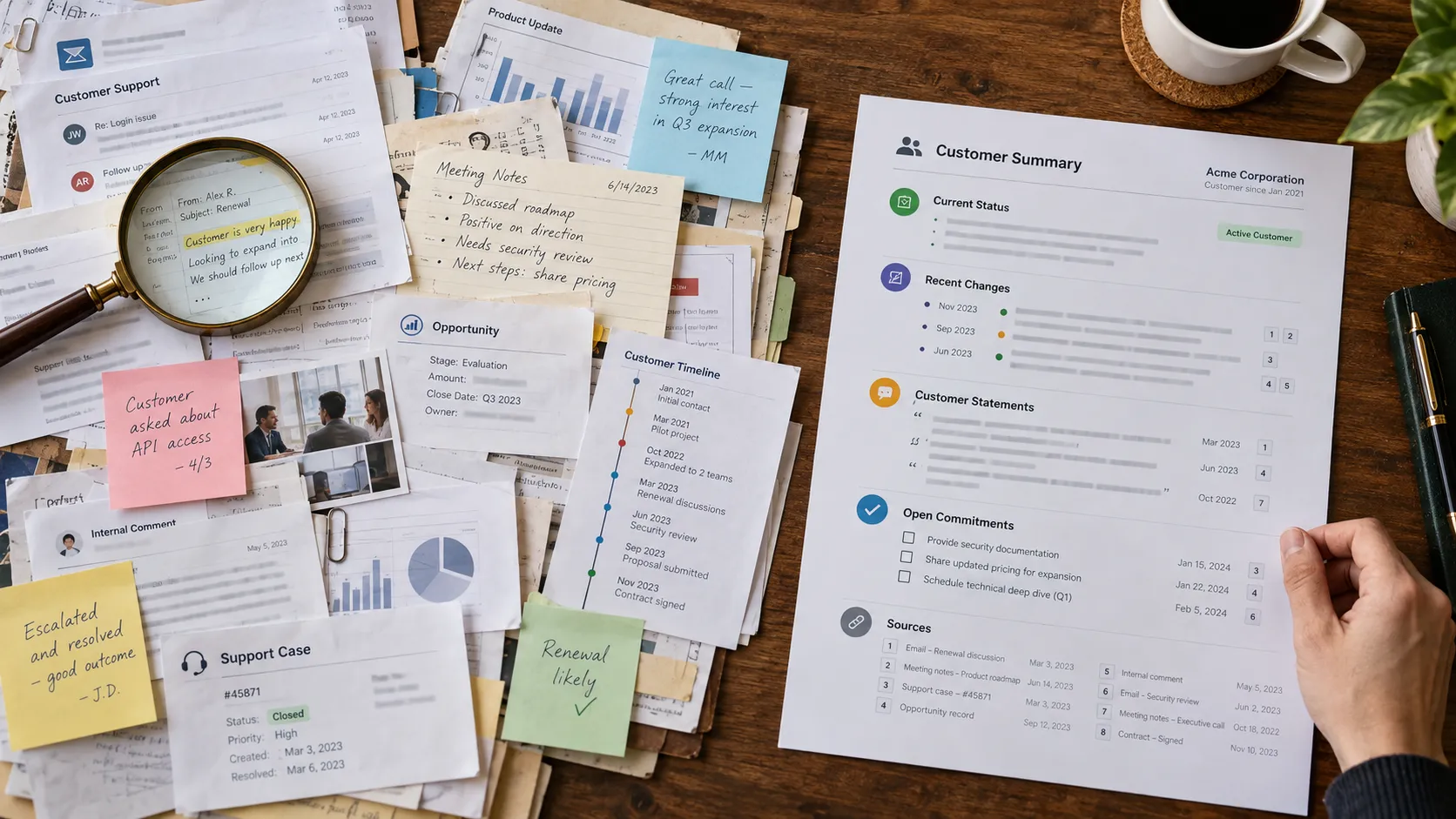
Customer histories become difficult to read as relationships mature. A single account may include years of emails, cases, notes, opportunities, product events, and internal comments. AI summarization can compress that history into a brief account overview, meeting preparation note, case recap, or handoff summary.
Compression creates value and risk at the same time. A summary necessarily leaves details out, and a generative model may combine events, misattribute statements, or overstate certainty. The design goal is therefore not the shortest possible summary. It is the smallest representation that preserves the information a user needs for the next decision and makes important evidence easy to verify.
Key Takeaways
Summaries should be designed for a specific decision or workflow, not as generic descriptions of the account.
Recency, chronology, speaker attribution, and source visibility reduce misunderstanding.
Separate verified facts, customer statements, internal assessments, and AI inference where the distinction matters.
Respect CRM permissions when selecting source material for a summary.
Evaluate whether summaries improve comprehension and decisions, not only whether they sound accurate.
Define the Summary Job
A meeting-preparation summary needs different information from a support escalation or a sales-to-success handoff. Trying to produce one universal account summary can create a long, vague paragraph that satisfies no one particularly well.
Define the user’s next decision and structure the summary around it. For a renewal review, the useful sections may be relationship status, recent outcomes, open issues, adoption changes, commercial timeline, and commitments.
Preserve Time and Attribution
Customer history is chronological. A complaint from six months ago may be resolved; a positive note from last year may no longer describe the relationship. Summaries should emphasize freshness and distinguish current state from historical events.
Attribution also matters. ‘The customer plans to expand’ is different from ‘the account manager believes the customer may expand.’ Where statements can influence commercial or service decisions, identify who said what and when.
Ground Summaries in Visible Evidence
Allow users to open the source activities or records behind important claims. Evidence links make it easier to verify unusual statements and reduce the temptation to treat the generated text as a new authoritative record.
For high-volume histories, the interface can highlight the most relevant sources while still allowing access to the full timeline. The summary should shorten reading, not hide evidence.
Handle Contradictions and Missing Context
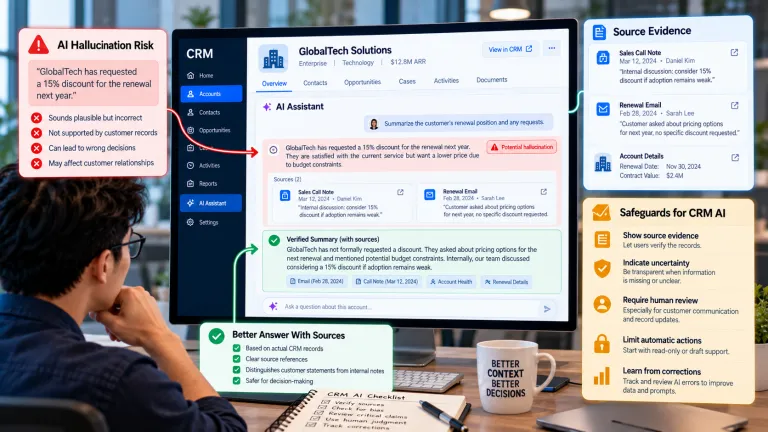
CRM histories often disagree. One note says the launch date is June, another says July. A customer may tell sales one thing and support another. A summarizer should not silently choose one version and present it as settled fact.
Where contradiction matters, surface it explicitly or label the latest verified value. When evidence is missing, state that the information is unavailable rather than filling the gap with plausible language.
Protect Sensitive Context
Summarization can inadvertently broaden access. A user who cannot open a restricted note should not learn its contents through a generated overview. Retrieval and summary generation should enforce the same permission boundaries as the underlying records.
Also consider whether all internal comments belong in customer-facing preparation. Sensitive employee observations, legal notes, or security details may require stronger separation even when a user has technical access.
Decide When to Refresh and Store Summaries
A stored summary can become stale. If summaries are persisted, include a generation timestamp and define what events trigger regeneration. For some use cases, generating on demand from current records is safer than maintaining another field that may drift from source data.
If summaries are edited by humans, decide whether the edited version becomes an operational note, whether future AI runs can overwrite it, and how source history is preserved.
Design Summaries for Different Moments in the Relationship
A customer record can support several kinds of summaries at the same time. A daily account brief may emphasize open commitments and recent change, while an executive meeting brief may emphasize relationship history, strategic goals, commercial exposure, and unresolved risk. A service handoff may need issue chronology, troubleshooting already attempted, and the customer’s stated impact. Treating those needs as separate summary products reduces the pressure to make one generated paragraph satisfy every role.
This also improves evaluation. Users can judge whether a renewal brief contains the evidence needed for a renewal decision instead of rating an abstract ‘account summary.’ When a summary format has a specific job, omissions are easier to identify and the organization can decide which source records deserve priority.
A Practical CRM Summarization Example
A support manager uses an AI account summary before an escalation call. The summary says the customer has experienced ‘repeated billing failures,’ but the account contains one billing issue and several unrelated login cases. The wording makes the problem appear more systemic than the evidence supports.
The company redesigns escalation summaries to separate issue categories, count verified incidents, show the date of the latest unresolved case, and cite source tickets. The assistant can still provide a short narrative, but quantitative claims must be grounded in structured records. Managers spend less time reading while retaining a clear path to verify the summary.
What a Decision-Ready CRM Summary Should Contain
Element Purpose Example
Current status Establish present context. Renewal in 45 days; one critical case open.
Recent changes Show what is different from the prior state. Usage declined over the last month.
Customer statements Preserve external voice and attribution. Operations lead requested a training review on Sept. 12.
Open commitments Prevent follow-up from being lost. Account owner promised pricing clarification by Friday.
Sources or timestamps Make important claims verifiable. Links to case, meeting note, or opportunity record.
Common Mistakes to Avoid
Creating one generic summary for every role
Different decisions require different context. Design summaries around workflows such as meeting preparation, escalation, handoff, or renewal.
Removing chronology
A concise summary that blends old and new information can be misleading. Preserve dates or recency signals for important events.
Treating the generated summary as a source record
The summary is an interpretation. Important facts should remain traceable to the underlying CRM evidence.
What to Do Next
Choose one summary use case and define the decision it should make easier.
List the source records and fields that are appropriate for that use case and role.
Define how the summary should represent dates, speakers, contradictions, and unknowns.
Add source links for claims that could materially affect customer action.
Test summaries on messy accounts, not only clean examples.
Measure reading time, factual corrections, missed context, and user decision quality before expanding.
Continue Reading on Clientira
Related Clientira guides provide additional context:
AI Hallucinations in CRM: Where Generated Answers Can Create Business Risk
AI Email Drafting in CRM: How to Save Time Without Losing the Human Voice
Frequently Asked Questions
What should an AI CRM summary include?
Include only the context relevant to the next decision: current status, important recent changes, customer statements, open commitments, material risks or opportunities, and links to supporting records where useful.
Should AI-generated summaries replace CRM notes?
No. Summaries can improve navigation, but source notes, cases, activities, and verified fields should remain available because summaries omit detail and can contain errors.
How often should a CRM summary update?
It depends on the workflow. High-change accounts may need on-demand or event-triggered regeneration, while stable contexts can refresh less often. Always show when a summary was generated.
Can summaries include restricted CRM data?
Only if the requesting user is authorized to access that underlying information and the summarization system enforces the same permission boundaries.
Final Thoughts
AI summarization is valuable because CRM history is often too rich for fast human review. The objective is not to replace history with a paragraph, but to create a reliable entry point into that history.
Design summaries around decisions, preserve chronology and attribution, expose evidence, and respect permissions. When those foundations are in place, AI can reduce reading effort without turning compression into distortion.