CRM Permissions and Access Control: Giving Teams the Data They Need Without Oversharing
CRM platforms centralize some of an organization’s most useful customer information. That makes collaboration easier, but it also creates a design problem: not everyone who needs the CRM needs the same information or the same ability to change it. Broad access can expose sensitive data or allow damaging edits, while excessive restriction can force teams back into spreadsheets and private messages.
Good CRM permissions balance productivity with control. The practical starting point is least privilege: give users the access required for their responsibilities and no more than is reasonably necessary. The challenge is translating that principle into roles, record visibility, field permissions, administrative rights, and review routines that people can actually manage.
Key Takeaways
Design access around job responsibilities and business actions, not individual preferences.
Separate the ability to view data from the ability to edit, export, delete, or administer it.
Sensitive fields may need stronger control than the record that contains them.
Temporary, integration, and privileged accounts deserve explicit ownership and review.
Permission design should be tested with realistic users and periodically recertified.
Begin With Business Actions
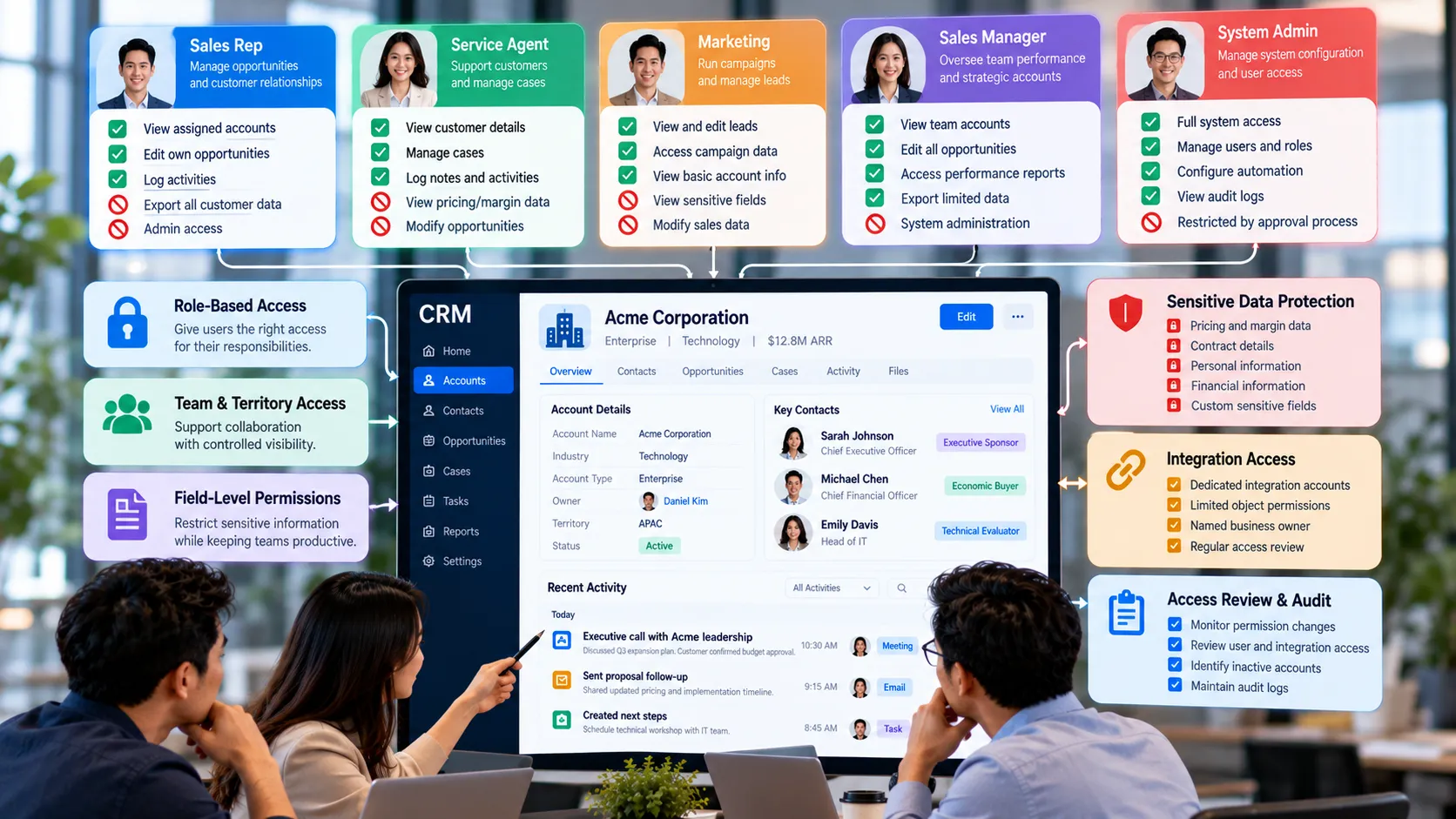
Permission discussions become easier when they start with actions: which records must a role see, which fields must it update, which information is sensitive, and which administrative changes could affect many users? A sales representative may need to view account history but should not necessarily export the full customer database. A service agent may need contact details and case context without access to commercial margin data.
Document those actions before constructing roles and profiles. This prevents the technical permission model from becoming a collection of exceptions created one user at a time.
Separate Record Access From Field Access
Seeing an account does not mean every field on that account should be visible or editable. Customer records can contain financial, contractual, identity, preference, or other information with different sensitivity. Field-level control allows collaboration on the record while restricting specific data.
Use sensitivity classification sparingly and clearly. If almost every field is labeled sensitive, administrators and users struggle to understand the real priorities. Focus additional controls on information where unauthorized viewing or change would create meaningful customer, legal, security, or commercial risk.
Control Privileged Actions More Tightly
Administrative access, mass export, bulk deletion, permission changes, integration credentials, and workflow configuration can affect far more than one record. These capabilities should have fewer users, clear ownership, and stronger review than ordinary record updates.
Avoid using full administrator rights as a convenience for people who need only one advanced task. Where the platform allows it, create narrower permission sets and temporary elevation processes. Log privileged changes so unusual activity can be investigated.
Design for Teams, Territories, and Collaboration
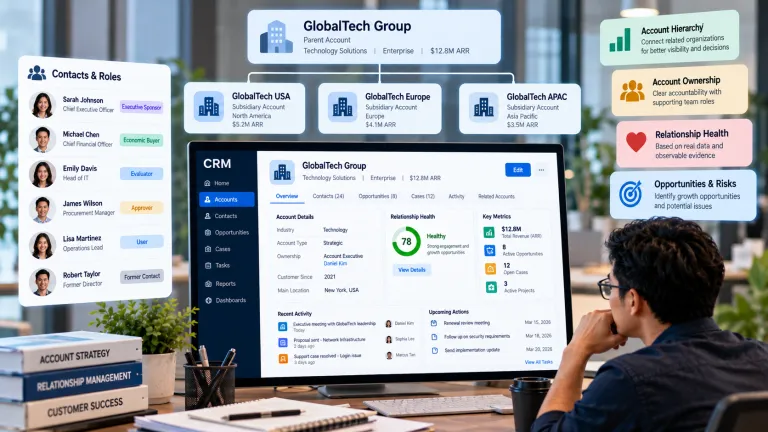
Access models often need to reflect ownership structures: territories, account teams, queues, regions, business units, or service responsibilities. The model should support legitimate collaboration without requiring manual sharing for every normal situation.
At the same time, exceptions will exist. Define how cross-team support, manager coverage, absence, escalations, and strategic-account access work. An access design that handles only the normal case can produce urgent workarounds when the first exception appears.
Treat Integrations as Users With Responsibilities
Integration accounts can read or change large amounts of data continuously, yet they are sometimes created once and forgotten. Give each integration a named business and technical owner, limit its permissions to the required objects and operations, and rotate credentials according to the organization’s security approach.
When an integration is retired, remove its access. Orphaned application permissions are particularly risky because they can remain active after the project or employee that created them is gone.
Review Access as Roles Change
Permission design deteriorates through organizational change. People move teams, contractors finish projects, managers inherit broader access, and temporary permissions become permanent. A periodic access review should confirm that users, integrations, and privileged accounts still need what they have.
Reviews can be risk-based. Highly privileged and sensitive-data access may deserve frequent recertification, while lower-risk roles can be reviewed less often. The essential point is to make review an owned process rather than relying on someone to notice old access by chance.
A Practical Access-Control Example
A regional sales organization gives every representative access to all accounts because collaboration is easier that way. Over time, the CRM also begins storing discount approvals, contract notes, and a small amount of sensitive customer information. Managers become concerned about broad visibility and export rights but do not want to block cross-region account support.
The company keeps broad visibility for basic account and activity context but restricts sensitive fields and bulk export. Opportunity editing follows ownership, while an account-team mechanism supports legitimate collaboration. Administrator permissions are separated from reporting privileges, and integration accounts receive dedicated credentials. A quarterly review focuses first on privileged and sensitive-data access.
A Practical Permission Matrix
Capability Typical Question Control Approach
View records Does this role need the customer context to do its job? Ownership, team, territory, or business-unit visibility.
Edit records Which information is this role responsible for maintaining? Object and field edit permissions with validation.
Export data Does the role need data outside the CRM? Restrict to justified roles and monitor where appropriate.
Administer system Can the user change security, automation, schema, or users? Limit privileged access and separate duties where practical.
Integration access What must the connected system read or write? Dedicated account, narrow permissions, named owner, and review.
Common Mistakes to Avoid
Using administrator access as a shortcut
Convenient access can create unnecessary risk. Grant the specific capability needed rather than broad administrative rights whenever possible.
Designing permissions one user at a time
Individual exceptions are hard to maintain. Build reusable role-based patterns and document the reason for deviations.
Forgetting non-human accounts
Integrations, service accounts, and automation identities may have broad access. Include them in ownership, credential, and review processes.
What to Do Next
List the core CRM roles and the business actions each one performs.
Identify data fields and actions that create higher risk if viewed or changed inappropriately.
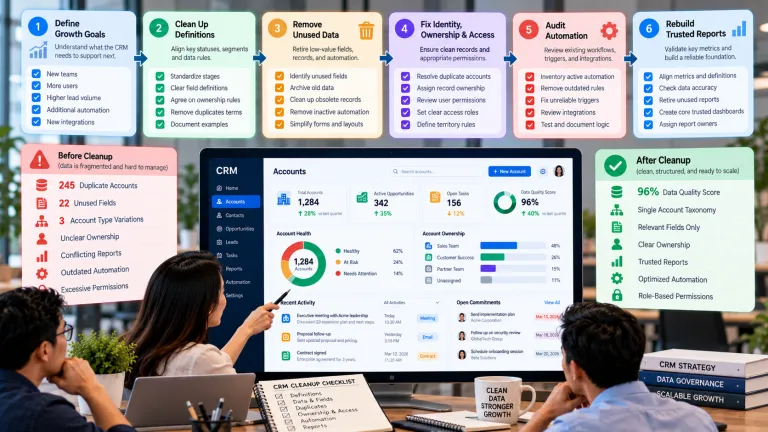
Separate view, edit, export, delete, and administrative permissions where the platform supports it.
Create dedicated identities and named owners for integrations.
Test permissions using representative accounts for each role and common exception.
Schedule periodic access reviews, prioritizing privileged and sensitive-data access.
Continue Reading on Clientira
Related Clientira guides provide additional context:
CRM Field Design: How to Capture Useful Data Without Creating Clutter
CRM Account Management: How to Organize Relationships Beyond Individual Contacts
Frequently Asked Questions
What is least privilege in CRM?
Least privilege means giving a user or integration only the access reasonably required to perform its responsibilities, rather than granting broad access for convenience.
Should sales representatives see all customer records?
It depends on the collaboration model, territory rules, confidentiality needs, and sensitivity of the data. Broad record visibility can coexist with narrower edit, field, and export permissions.
How often should CRM permissions be reviewed?
Use a risk-based schedule and review after role changes. Privileged, sensitive, and integration access generally deserves more frequent attention than routine low-risk access.
Are CRM permission settings enough to protect customer data?
No. Permissions are one layer. Authentication, device security, integration controls, data minimization, monitoring, backups, retention, and user practices also affect protection.
Final Thoughts
CRM access control works best when it is designed around responsibilities rather than fear or convenience. People need enough context to serve customers, but not every role needs every field, export capability, or administrative action.
Build reusable role patterns, protect higher-risk capabilities more strongly, and review access as the organization changes. A permission model that users can understand and administrators can maintain is more durable than a complicated design full of undocumented exceptions.