CRM Activity Tracking: What Teams Should Record and What They Should Ignore
A CRM can record an enormous amount of activity: emails, meetings, calls, messages, page views, tasks, notes, status changes, and system events. More history sounds better until users open an account and must search through hundreds of low-value entries to understand what actually happened.
The goal of CRM activity tracking is not to create a perfect surveillance log. It is to preserve enough customer context for continuity, accountability, coordination, and decisions. That requires deciding which interactions deserve human attention, which can remain in background history, and which should not be captured at all.
Key Takeaways
Track activities that preserve customer context, commitments, decisions, or meaningful changes.
Separate user-facing history from technical event logs so noise does not overwhelm the account timeline.
Automatic capture should still have a purpose and retention rule.
Notes should emphasize outcome and next action rather than reproducing entire conversations.
Activity completeness is not a useful metric unless the recorded activity improves decisions or handoffs.
Start With the Reason History Matters
Activity history is valuable when another person can use it to continue a relationship, understand a commitment, explain a decision, or avoid making the customer repeat information. That means the importance of an interaction depends on what changed, not simply on the communication channel.
A short call that changes the customer’s timeline may be more important than a long email thread that adds no new information. Design the activity model around decision value rather than volume.
Separate Meaningful Activities From Background Events
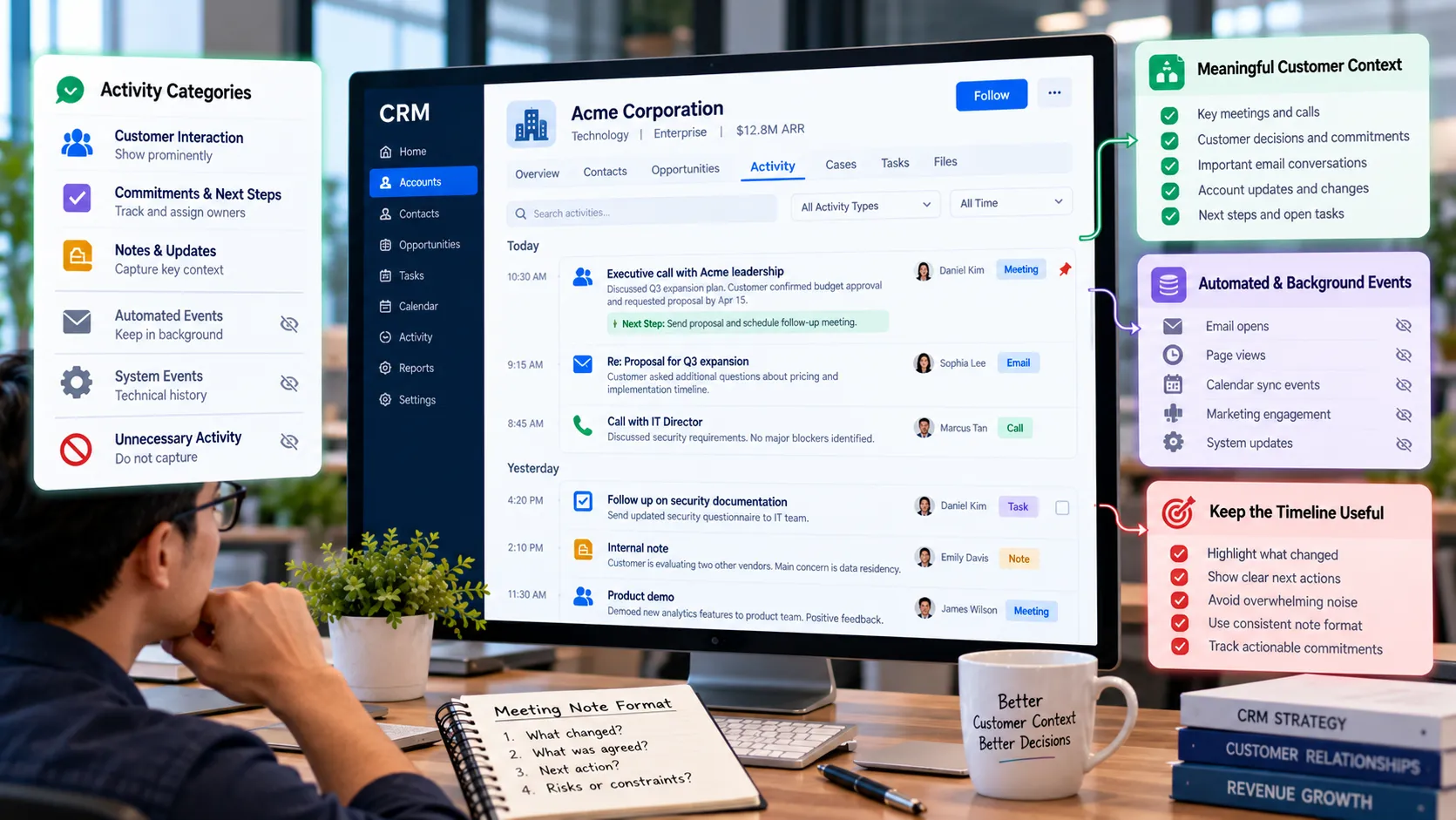
Many systems generate technical events such as email opens, page views, sync updates, or automation actions. These signals may be useful for analysis or scoring, but they do not all belong in the main customer timeline.
Create layers. Keep significant interactions and commitments visible to users while allowing detailed event history to remain accessible for analytics or troubleshooting. This preserves both data richness and usability.
Define a Lightweight Note Standard
Unstructured notes are useful because customer conversations contain nuance. They become difficult when every person writes them differently or copies entire transcripts without highlighting what matters. A simple note standard can improve consistency without turning conversations into forms.
Encourage users to capture three things when relevant: what changed, what was agreed, and what happens next. Add key risks or constraints when they materially affect the relationship. The note should help the next reader act, not prove that the meeting occurred.
Automate Capture Without Losing Control
Email and calendar synchronization can reduce manual work, but automatic capture raises questions about relevance, privacy, shared mailboxes, personal communications, and retention. Decide which account or contact relationships qualify for synchronization and who may see the resulting history.
Automatic capture should not remove the need for human summary when a conversation changes an important decision. The raw email may be available, but a concise opportunity or account note can make the change understandable to the wider team.
Track Commitments Explicitly
A timeline tells you what happened. A task or commitment tells you what must happen next. Important promises should not be buried inside notes. Use accountable tasks, dates, owners, or structured next-step fields when follow-through matters.
This distinction becomes especially important during handoffs. The receiving person should be able to see open commitments without reading every historical interaction.
Use Activity Data Carefully in Performance Management
Call counts and email volumes are easy to measure, which makes them tempting productivity metrics. They can also encourage activity that looks busy without helping customers or creating revenue. High activity may even indicate poor targeting or repeated attempts to resolve the same issue.
When activity measures are used, connect them to context and outcomes. Examine meaningful response, progression, customer resolution, or the quality of next actions rather than assuming more logged activity is inherently better.
A Practical Activity-Tracking Example
An account manager opens a strategic account and sees 240 timeline events from the previous month, most of them automated email opens, calendar sync entries, and system updates. A customer commitment made during an executive call is hidden among them, and the owner misses the promised follow-up date.
The company changes its timeline configuration so high-volume digital events remain available in an engagement panel but do not dominate the main activity view. Meeting notes use a short outcome-next step format, and customer commitments create explicit tasks with owners. The CRM contains the same underlying information, but the operational history becomes far easier to understand.
Should This Activity Be Prominent in the CRM?
Activity Type Default Treatment Reason
Customer decision or commitment Show prominently. It changes what the team should do next.
Meeting or call with meaningful outcome Show summary and next action. It preserves context for continuity.
Routine automated email open Keep in background engagement data. Useful analytically but often noisy in a timeline.
System synchronization event Keep in technical history. Important for troubleshooting, not customer context.
Sensitive or unrelated personal communication Do not capture unless there is a legitimate business need and appropriate control. More data is not automatically better or safer.
Common Mistakes to Avoid
Logging everything in one timeline
A complete event stream can make the most important information harder to find. Separate operational context from technical or high-volume engagement events.
Using notes instead of accountable next steps
A promise written in a note can be forgotten. Use tasks or structured commitments when follow-through has a deadline or owner.
Rewarding activity volume
Volume metrics can encourage low-value behavior. Connect activity measurement to meaningful customer or commercial outcomes.
What to Do Next
Identify the questions a new account owner should be able to answer from activity history.
Classify current activity types as prominent customer context, background analytics, technical history, or unnecessary capture.
Create a simple note standard focused on changes, agreements, and next actions.
Move important commitments into accountable tasks or structured next-step fields.
Review automatic email and calendar capture for relevance, permissions, and retention.
Remove activity-volume targets that are not clearly connected to useful outcomes.
Continue Reading on Clientira
Related Clientira guides provide additional context:
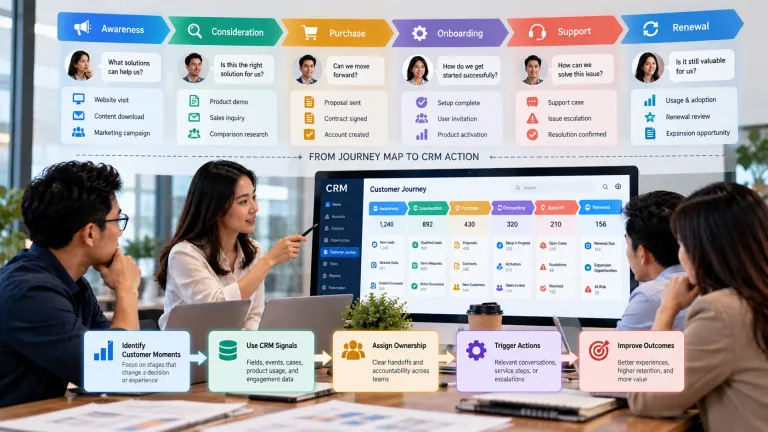
Customer Journey Mapping in CRM: Turning Touchpoints Into Better Decisions
Sales Handoff in CRM: How to Prevent Leads From Falling Between Teams
Frequently Asked Questions
What activities should be logged in a CRM?
Record interactions and events that preserve useful customer context, decisions, commitments, meaningful changes, or evidence needed for coordination. High-volume technical events can often remain in a separate history.
Should every email be stored in the CRM?
Not necessarily. Automatic capture should have a clear business purpose, appropriate access controls, and a retention approach. Sensitive, personal, or irrelevant messages may not belong in shared customer history.
Are call and email counts useful CRM metrics?
They can describe effort, but they are weak outcome measures on their own. Pair them with progression, response, resolution, conversion, or quality indicators.
What makes a good CRM meeting note?
A useful note is concise and tells the next reader what changed, what was agreed, what risk or context matters, and what happens next.
Final Thoughts
Useful activity tracking creates continuity without forcing employees to become historians. The CRM should make important customer moments and open commitments easier to see, not bury them under every event a connected system can generate.
Choose what to capture based on decision value, separate background signals from user-facing history, and make next actions explicit. When activity data is designed this way, the CRM becomes a shared memory that supports work rather than a noisy archive.