
CRM Field Design: How to Capture Useful Data Without Creating Clutter
Adding a field to a CRM takes seconds. Living with that field can last for years. Each new field competes for user attention, creates another possible definition, appears in reports and integrations, and may eventually become an input to automation. When fields accumulate without discipline, teams stop knowing which ones matter and data quality becomes harder to maintain.
Good CRM field design is therefore an information-design problem, not simply an administrator task. The objective is to capture the minimum reliable information needed to support decisions, handoffs, customer context, compliance, and measurement. This article explains how to make that trade-off deliberately.
Key Takeaways
Every field should support a defined decision, workflow, control, or necessary context.
Required fields should be rare enough that users take them seriously.
Field type, allowed values, timing, ownership, and definitions matter as much as the label.
Free text is useful for context but weak for consistent reporting and automation.
Fields need a retirement process so obsolete data structures do not accumulate indefinitely.
Start With the Decision the Field Supports
Before creating a field, finish the sentence: ‘We need this information so that…’ If the answer is vague, the field probably needs more justification. A field might support qualification, routing, service prioritization, forecasting, legal obligations, segmentation, or a management decision. Those are concrete purposes that can be evaluated.
This discipline also helps distinguish operational data from interesting data. Knowing a customer’s preferred meeting format may be valuable in a relationship-intensive business. Capturing the same detail for every low-touch lead may create more maintenance than benefit. Relevance depends on the decision and the stage of the relationship.
Design for the Moment Data Becomes Knowable
A common design error is making information mandatory before the user could reasonably know it. Requiring budget, decision date, or detailed customer attributes at initial lead creation encourages guesses and placeholders. Those values then look structured but are less trustworthy than a blank field.
Align required information with the process stage. Early stages should capture enough to route and follow up. Later stages can require evidence that supports qualification, forecasting, contracting, or service. Progressive data capture reduces friction while improving accuracy because users are asked for information when it is relevant.
Choose Field Types That Match How the Data Will Be Used
Field types shape behavior. Dropdowns and controlled values improve consistency when categories are stable and reporting matters. Dates are better than free-text timing descriptions when scheduling or aging matters. Numeric fields allow calculation. Relationship fields are preferable when the value should connect to another record rather than exist as duplicated text.
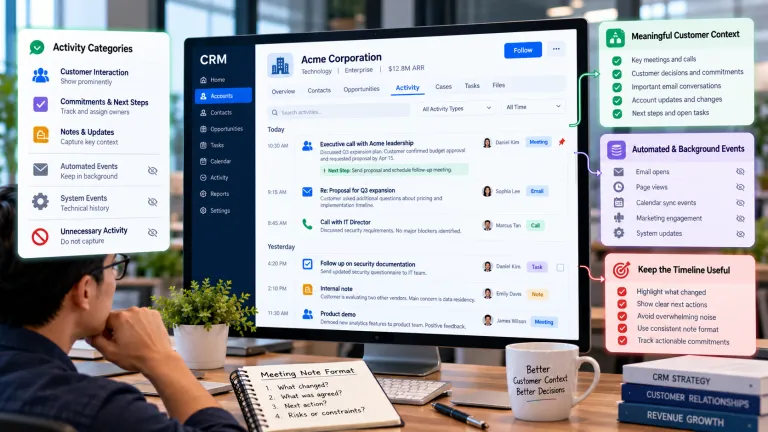
Free text still has an important role for nuance, customer context, and notes that cannot be anticipated in advance. The mistake is expecting unstructured text to support precise automation or reporting. If the organization repeatedly analyzes a concept buried in notes, that may be evidence that a structured field is justified.
Treat Picklist Values as Business Definitions
A picklist looks simple, but each option is a category that employees must interpret consistently. Values such as ‘high potential,’ ‘strategic,’ or ‘warm’ are unreliable unless criteria are defined. Too many options increase hesitation; overlapping options create subjective classification; old options remain in reports long after the business stops using them.
Keep values mutually understandable, document what each one means, and define an owner who can approve changes. When categories change, decide how historical records should be treated rather than silently renaming values and assuming old data still means the same thing.
Use Required Fields Carefully
Required fields can improve completeness, but they also create incentives to enter inaccurate values when users are blocked from completing work. The stronger the enforcement, the stronger the evidence should be that the field is necessary at that moment.
Use a hierarchy of controls. First make the purpose clear. Then use defaults, conditional visibility, validation, and stage-based requirements where appropriate. Reserve hard requirements for information that is genuinely necessary to complete the workflow, protect the business, or support a critical downstream decision.
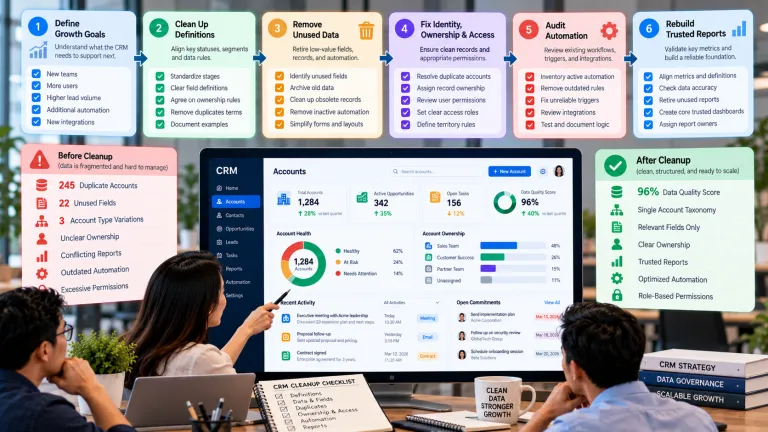
Create a Field Lifecycle, Not a Field Graveyard
Fields should have an owner, definition, source, permitted values, use cases, and review date. When a field is no longer used in decisions, automation, integrations, compliance, or active reporting, it should be a candidate for retirement.
Retirement does not always mean deleting historical information immediately. The team may first remove the field from forms and views, stop new data entry, preserve it for reporting, and later archive or delete it according to retention needs. The important principle is that unused fields should not remain visible forever simply because removing them feels risky.
A Practical Field-Design Example
A sales team wants to add twelve new fields to improve forecasting. Interviews show that managers really need four pieces of evidence: confirmed business problem, decision process, expected timing, and next agreed customer action. The original twelve-field request included several overlapping confidence labels and free-text questions that representatives interpreted differently.
The team replaces the proposal with four stage-specific fields, defines acceptable values, and adds short guidance beside each field. The fields are required only when an opportunity moves into the stage where the information should be known. Forecast reviews become easier because managers can see evidence rather than relying on a subjective collection of confidence scores.
Should This CRM Field Exist?
Test Keep or Create Reconsider
Decision value The field changes a decision, handoff, control, or customer action. The data is merely interesting.
Knowability Users can reasonably know the value at the point of capture. Users must guess to continue.
Consistency The definition can be understood and applied across relevant users. The value depends mainly on personal interpretation.
Maintenance An owner can manage definitions and values over time. Nobody is responsible after launch.
Usage The field is used in active work, reporting, automation, integration, or required records. It has no visible downstream use.
Common Mistakes to Avoid
Making everything mandatory
Completeness is not the same as accuracy. Excessive required fields encourage placeholder values and make high-frequency tasks slower.
Using free text for categories
If data needs consistent filtering, routing, automation, or reporting, structured values are usually better. Use notes for nuance rather than for information that must behave like a category.
Creating fields without ownership
Without an owner, definitions drift and old values persist. Field governance can be lightweight, but someone must be accountable for changes and retirement decisions.
What to Do Next
Export the current field inventory for the highest-use CRM objects.
Identify fields that support active decisions, workflow, reporting, integration, security, or compliance.
Mark fields with low completion, unclear definitions, or no visible use for review.
Move required data to the stage where users can reasonably know it.
Standardize high-value categories and document their definitions.
Create a quarterly field-review process to retire unnecessary data structures.
Continue Reading on Clientira
Related Clientira guides provide additional context:
CRM Requirements Gathering: How to Define What Your Business Actually Needs
CRM Implementation Mistakes: Why Good Software Still Produces Poor Results
Frequently Asked Questions
How many fields should a CRM record have?
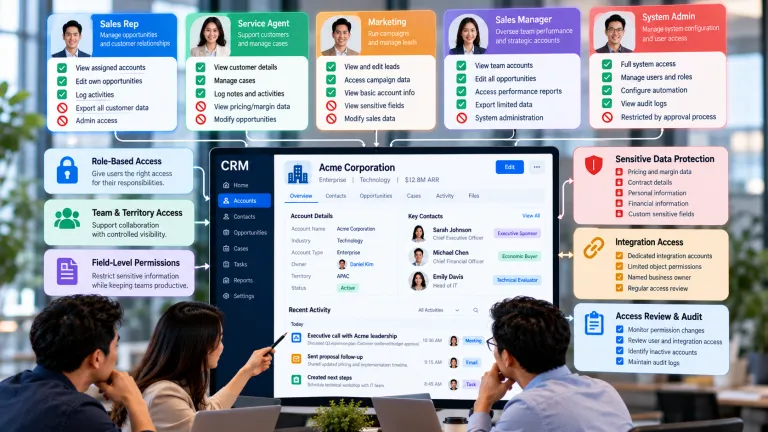
There is no universal ideal number. The better question is how many fields a role needs to see and maintain for a specific workflow. A CRM can store many fields while presenting only the relevant subset at each stage.
Should every important field be required?
No. A field may be important for analysis yet not knowable in every situation. Use conditional requirements, validation, prompts, and quality monitoring instead of blocking work unnecessarily.
When is free text appropriate in a CRM?
Use it for context, narrative, exceptions, and information that does not need consistent categorization. Avoid relying on free text for values that drive automation, routing, segmentation, or standardized reporting.
How often should CRM fields be reviewed?
A quarterly review works well for many organizations, with additional reviews after major process, product, or integration changes. High-change environments may need a more frequent cadence.
Final Thoughts
A clean CRM is not one with very little data. It is one where information has a reason to exist and users understand what matters. Thoughtful field design reduces clutter while making important data easier to capture accurately.
The best test is simple: if a field disappeared tomorrow, which decision, workflow, control, or customer interaction would become worse? If nobody can answer, the field may be costing more attention than the value it creates.