CRM Strategy Audit: How to Know When Your CRM Needs a Reset
CRM environments rarely stop working overnight. More often, they become less useful gradually.
A new field is added for one reporting request. Another team creates a slightly different customer status. Employees develop spreadsheets to compensate for missing information. Automation is layered on top of older workflows. Integrations continue running even though nobody is entirely sure which system should own the data.
Individually, each change may appear reasonable. Over time, however, the CRM can drift away from the business it was designed to support.
A CRM strategy audit provides a structured way to identify that drift.
The objective is not automatically to replace the CRM platform or redesign everything from the beginning. It is to determine whether the current strategy, processes, data, technology, governance, and user behavior still work together—and which parts need correction.
What Is a CRM Strategy Audit?
A CRM strategy audit is a periodic review of how effectively an organization’s CRM environment supports its current business and customer priorities.
It examines more than technical configuration.
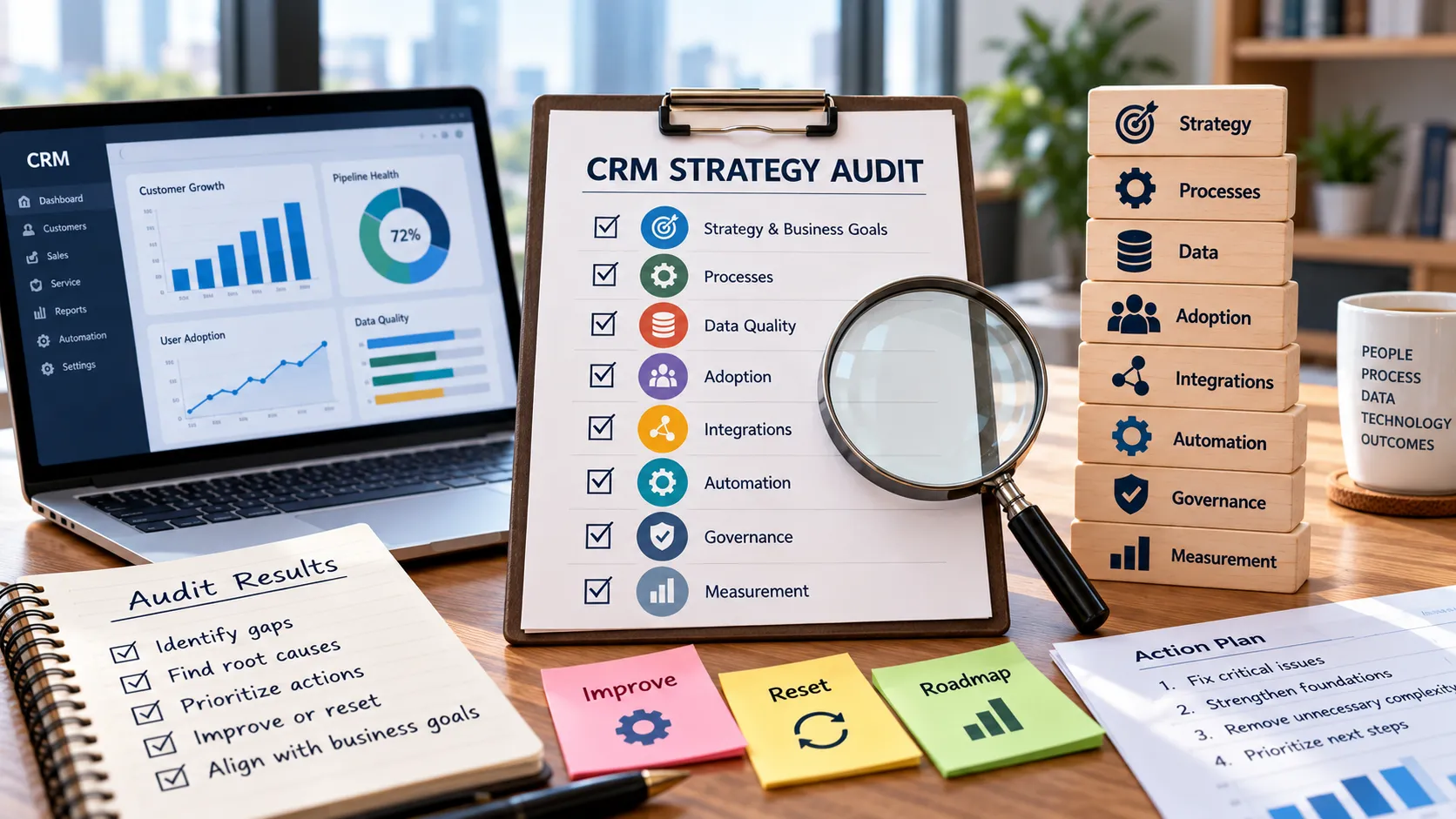
A useful audit asks whether:
- CRM priorities still reflect business goals;
- customer processes remain relevant and consistent;
- important data can be trusted;
- employees use the system as intended;
- integrations support real operational needs;
- automation is helping rather than adding complexity;
- ownership and governance are clear; and
- CRM measurement still supports meaningful decisions.
If your organization has never explicitly defined these elements, start with Clientira’s CRM strategy framework. The audit described here assumes that CRM should ultimately connect business outcomes, customer priorities, decisions, processes, data, and technology.
Why CRM Strategy Drifts Over Time
CRM environments evolve continuously.
The organization may enter new markets, change its sales model, introduce new products, restructure customer service, adopt additional software, or modify how teams work.
The CRM usually changes as well, but not always in a coordinated way.
Some changes are tactical. A manager requests a new field. A workflow is added to solve a temporary problem. A report is copied and modified. A department introduces another integration.
Years later, the original reason for these changes may no longer exist.
This creates strategic drift: the CRM still works technically, but its structure no longer reflects how the organization actually manages customer relationships.
Seven Warning Signs Your CRM Strategy Needs Review
A full audit does not need to begin with a crisis. Certain recurring signals can indicate that a deeper review is worthwhile.
1. Employees maintain parallel spreadsheets
Spreadsheets are not automatically a problem. They become a warning sign when employees consistently use them to perform work that CRM is supposed to support.
This may indicate that the CRM workflow is inconvenient, important information is missing, reporting is inadequate, or users no longer trust the data.
The spreadsheet is often a symptom rather than the root cause.
2. Managers routinely correct CRM reports manually
If reports must regularly be exported, adjusted, reconciled, or combined with other files before management can use them, something in the underlying CRM operating model deserves investigation.
The issue may involve data completeness, inconsistent definitions, duplicate records, incorrect ownership, or poorly designed reporting logic.
3. Nobody can explain why certain fields exist
CRM systems tend to accumulate fields.
Some were created for old initiatives. Others support reports that are no longer used. Some collect information without a clear owner or decision behind them.
When users cannot explain why they are being asked to maintain a field, completion quality usually declines.
4. Automation regularly creates exceptions
Automation should reduce predictable manual work.
If employees frequently override automated tasks, correct assignments, ignore notifications, or create workarounds, the underlying rule may no longer reflect reality.
More automation will not necessarily solve the problem.
5. Teams disagree about customer stages or statuses
If sales, service, marketing, and management interpret the same customer status differently, reporting and automation become unreliable.
The CRM may contain technically valid data that represents different meanings depending on who entered it.
6. New capabilities are added faster than old ones are removed
CRM complexity often grows because organizations are comfortable adding but reluctant to remove.
Unused dashboards, outdated workflows, redundant fields, and old integrations continue to exist alongside newer versions.
Eventually, employees must navigate the history of the CRM rather than a coherent operating system.
7. Leadership cannot explain whether CRM is improving outcomes
A CRM environment can generate extensive reports without providing evidence of value.
If leadership can describe system activity but cannot explain whether retention, conversion, service consistency, productivity, forecasting, or another intended outcome has improved, the strategy may have lost its connection to measurement.
Step 1: Revisit the Original Business Purpose
Begin the audit outside the CRM system.
Ask what the organization currently expects CRM to accomplish.
This may be different from what mattered when the platform was first implemented.
Perhaps the original priority was pipeline visibility, but the organization now needs stronger customer retention. Maybe CRM began as a sales tool but now supports service and account management as well.
Write down the three to five most important outcomes CRM should currently support.
Then compare those priorities with where CRM resources are actually being spent.
If most development effort supports low-value administration while an important customer process remains weak, the roadmap may be misaligned.
Step 2: Audit the Customer Processes
Next, examine the processes that CRM is supposed to support.
Do not evaluate only how the process was designed. Observe how employees actually perform it.
For each important process, ask:
- Where does the process begin?
- Who owns each important stage?
- What information is required?
- What determines when work moves forward?
- Where do handoffs occur?
- Which exceptions happen frequently?
- Which steps occur outside CRM?
Examples might include lead qualification, opportunity management, onboarding, customer service, renewal, account management, or escalation.
Pay particular attention to differences between the documented process and everyday behavior.
Those gaps often reveal where CRM configuration has stopped matching operational reality.
Step 3: Audit CRM Data for Trust, Not Just Completeness
A record can be technically complete and still be unreliable.
For example, an opportunity may contain every required field, but the expected close date may not have been updated for months.
A customer account may have an owner, but the employee responsible for the relationship may have changed.
The audit should therefore evaluate whether information is trustworthy enough to support decisions.
Look for:
- duplicate customer records;
- outdated ownership;
- missing critical fields;
- inconsistent formatting;
- statuses that no longer represent reality;
- fields that are always populated with default values;
- information that exists in several systems with different values; and
- historical data that cannot be interpreted consistently.
If these issues are widespread, revisit Clientira’s guide on improving CRM data quality without frustrating your team. Data problems should be addressed in a way that improves reliability without simply adding more administrative burden.
Step 4: Audit Employee Adoption Through Real Behavior
A CRM strategy audit should not ask only whether employees log into the system.
Instead, examine whether important customer work is actually represented in CRM.
Choose a sample of recent accounts, opportunities, service cases, or customer interactions and inspect them.
Ask whether another employee could understand what is happening from the CRM record alone.
If critical context exists only in private email, personal notes, spreadsheets, or team chats, the system may not be functioning as a dependable shared record.
Low adoption may indicate a training problem, but it can also indicate poor process design.
If users consistently avoid one workflow, investigate why before introducing stricter controls.
Step 5: Audit Integrations and System Ownership
Integrations deserve special attention because they can continue operating long after their original design has been forgotten.
For each important integration, identify:
- which systems are connected;
- which system owns each important field;
- which direction information moves;
- how often synchronization occurs;
- what happens when synchronization fails;
- who monitors the integration; and
- whether the connected information is still being used.
An integration should exist because it supports a customer process, decision, reporting requirement, or legitimate operational need.
Clientira’s CRM integration strategy provides a deeper framework for evaluating these relationships.
Step 6: Audit Automation for Business Value
Automation can become difficult to evaluate because successful automation is often invisible.
However, every significant automation should still have an understandable purpose.
Review major workflows and ask:
- What triggers the automation?
- What business rule does it represent?
- Who owns that rule?
- What happens when the rule is wrong?
- How frequently do users override the result?
- Does the automation still save meaningful effort or reduce risk?
If nobody can explain why a workflow exists, it should not remain active simply because it has been running for years.
Automation should simplify the operating model rather than preserve outdated complexity.
Step 7: Audit Governance and Ownership
A CRM can become strategically weak even when individual components work well if nobody owns the environment as a whole.
The audit should identify who is responsible for:
- business priorities;
- customer process definitions;
- CRM administration;
- important data definitions;
- permissions and access;
- integration ownership;
- change approval; and
- performance review.
Unclear ownership often leads to slow decisions or uncontrolled changes.
For a more detailed examination of these responsibilities, see Clientira’s CRM governance guide.
Step 8: Audit Measurement and Dashboards
Not every report deserves to survive the audit.
Review which dashboards employees and managers actually use.
For each one, ask what decision it is designed to support.
If a dashboard is frequently viewed but never changes an action, it may be informational rather than operational. That is not necessarily wrong, but the distinction should be understood.
More importantly, evaluate whether the metrics still correspond to current business priorities.
If CRM strategy has shifted from customer acquisition toward retention, for example, the reporting environment should reflect that change.
Compare Current Capability With the Maturity Required
After examining the CRM environment, resist the temptation to compare it with the most advanced systems in the market.
The relevant question is whether the organization has the maturity required for its strategy.
Some businesses need relatively simple CRM capabilities executed consistently. Others genuinely require complex integrations, automation, analytics, or AI.
Clientira’s CRM maturity model can help determine whether weaknesses exist in strategy, process, data, technology, governance, adoption, integration, or measurement.
The goal is not maximum complexity. The goal is sufficient maturity for the outcomes the organization needs to produce.
Does Your CRM Need Improvement or a Reset?
Not every audit should lead to a reset.
Many CRM environments can be improved incrementally.
A targeted improvement is usually appropriate when:
- the business strategy is still valid;
- core customer processes remain useful;
- users generally trust the system;
- problems are concentrated in a limited number of areas;
- data structure is fundamentally sound; and
- ownership is clear enough to manage improvements.
A deeper reset may be justified when problems are systemic.
Warning conditions can include:
- different departments use CRM for conflicting purposes;
- important definitions vary significantly across teams;
- employees broadly distrust customer data;
- critical processes happen outside the CRM;
- years of customization have made the system difficult to maintain;
- ownership is fragmented;
- the CRM no longer reflects the organization’s customer model; or
- major new capabilities cannot be introduced safely without redesigning the foundation.
Even in these situations, “reset” does not automatically mean purchasing a new CRM platform.
The organization may need to reset its process model, data structure, governance, configuration, or operating assumptions while keeping the underlying platform.
Do Not Confuse a Platform Replacement With a Strategy Reset
One of the most expensive mistakes an organization can make is assuming that replacing the software will automatically fix strategic problems.
A new CRM can reproduce the same issues if the organization migrates unclear processes, inconsistent definitions, poor data, unnecessary fields, and weak governance into the new platform.
Migration can be an opportunity to simplify, but only if the organization is willing to challenge the old design.
If replacement or migration is being considered, Clientira’s CRM migration checklist provides additional guidance on moving data without carrying unnecessary risk into the new environment.
Turn Audit Findings Into a Prioritized Action Plan
An audit is useful only if the findings influence what happens next.
Do not create a list of 50 problems and assign all of them equal priority.
Group findings into categories such as:
- critical risk;
- foundational weakness;
- operational friction;
- strategic opportunity; and
- unnecessary complexity.
Then identify dependencies.
If reporting problems come from inconsistent data definitions, fixing dashboards first would address the symptom rather than the cause.
If automation problems are caused by unclear process ownership, rewriting the automation before clarifying ownership may simply recreate the same issue.
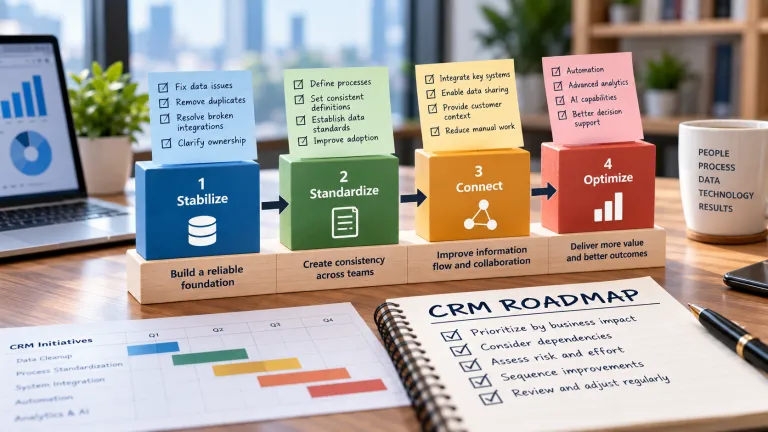
This is where audit findings should feed directly into roadmap planning. Clientira’s CRM roadmap prioritization framework explains how to sequence work according to impact, dependency, risk, effort, and readiness.
Audit What Should Be Removed, Not Only What Should Be Added
CRM reviews often focus on missing features.
A strategy audit should devote equal attention to unnecessary complexity.
Look for:
- unused custom fields;
- redundant reports;
- obsolete workflows;
- duplicate integrations;
- inactive user roles;
- old lifecycle stages;
- forms that collect information nobody uses; and
- customizations that solve problems that no longer exist.
Removing these elements reduces maintenance and makes the remaining CRM environment easier to understand.
A smaller, clearer CRM can be strategically stronger than a feature-rich system that users struggle to navigate.
Use the Audit to Test the Business Case for Future Investment
An audit also provides useful evidence for future CRM spending.
Instead of proposing new technology based on general promises, the organization can point to specific constraints discovered during the review.
For example, the audit may demonstrate that manual data reconciliation consumes substantial employee time, that incomplete customer histories create repeated service problems, or that outdated integrations require expensive maintenance.
These findings can strengthen a realistic investment case.
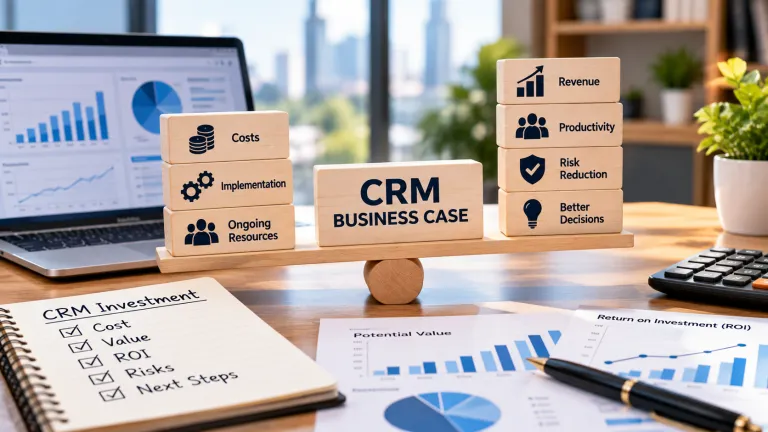
Clientira’s guide to building a CRM business case explains how to connect those problems with cost, expected value, ROI, risk, and adoption requirements.
How Often Should You Audit CRM Strategy?
There is no universal schedule that applies to every organization.
A full strategic review may be appropriate annually for many businesses, with lighter reviews throughout the year.
An additional audit may also be useful after significant changes such as:
- a merger or acquisition;
- a major CRM migration;
- a restructuring of sales or service teams;
- a significant change in the customer lifecycle;
- the addition of important integrations;
- a major data quality incident;
- rapid organizational growth; or
- the planned introduction of advanced automation or AI.
The purpose is not constant auditing.
It is to prevent several years of accumulated change from becoming an expensive redesign problem.
A Simple CRM Strategy Audit Checklist
Before closing the review, leadership should be able to answer these questions:
- Can we clearly explain what CRM is expected to improve?
- Do our current customer processes reflect how teams actually work?
- Can employees trust the customer data they use for important decisions?
- Are key activities consistently represented in CRM?
- Do integrations have clear purposes and system ownership?
- Does automation reduce meaningful work rather than create new exceptions?
- Are CRM responsibilities and governance clear?
- Do our dashboards support current management decisions?
- Are we maintaining features, fields, and workflows that no longer create value?
- Do we know which CRM improvement should happen next and why?
A large number of unclear answers does not necessarily mean the CRM platform has failed.
It means the organization has identified where strategic attention is needed.
Final Thoughts
A CRM strategy audit is not an exercise in finding as many problems as possible.
Its purpose is to restore alignment.
Business goals change. Customer expectations evolve. Teams restructure. Data grows. Technology expands. The CRM environment must adapt without losing clarity about what it is supposed to accomplish.
A useful audit therefore examines strategy, customer processes, data quality, adoption, integration, automation, governance, and measurement together.
Some findings may require small corrections. Others may justify redesigning an entire process. In a few cases, the organization may conclude that a larger CRM reset is appropriate.
What matters is that the decision comes from evidence rather than frustration with the software.
The strongest CRM environments are not those that never develop problems. They are the ones that periodically identify what has drifted, remove what no longer serves a purpose, strengthen the foundations that matter, and redirect investment toward the next meaningful customer and business outcome.